Focuser vs BlockSite: a fair comparison
BlockSite is a popular website blocker with apps for phones and computers and 1,000,000 users in the Chrome Web Store. Focuser is a free Chrome extension that takes a different approach. Here is how the two compare, including where BlockSite is the better choice.
The short answer
Choose BlockSite if you want to block sites on your phone and your computer, want a password lock, or want extras like categories, keyword blocking and a Pomodoro timer.
Choose Focuser if you work in desktop Chrome, want to keep access to sites you sometimes need, and do not want an account or a subscription. Focuser does not lock you out. It asks why you are there and how long you need.
Both tools can pause or block sites on a schedule, so work hours are covered either way. The real question is whether you want a wall or a question.
Side by side
The table uses each product's own pages and its Chrome Web Store listing. Prices and ratings change, so check the sources below before you decide.
Read the ratings with care. Focuser's 5.0 comes from only a few ratings. BlockSite's 4.5 comes from many thousands, so it says more about how people find it.
| Feature | Focuser | BlockSite |
|---|---|---|
| Price | Free, no paid plan | Premium subscription. A promotion on its site showed $23.94 for the first year. |
| Free plan | Everything is free | Limited free plan |
| Platforms | Desktop Chrome | Chrome, Edge and Firefox extensions, Android and iOS apps, and a desktop app |
| How it stops you | Pauses the site and asks why you are there and how long you need. You can always continue. | Blocks listed sites, with schedules and a password lock |
| Account | None | Needed for sync |
| Privacy | No network requests. Nothing is sent to Focuser servers. | Its privacy policy says it collects browsing, search and activity data and may share it with affiliates. You can opt out in settings. |
| Chrome Web Store rating | 5.0 from a small number of ratings | 4.5 from 32.5K ratings |
Checked November 2026
Where BlockSite is better
BlockSite runs on far more devices. It has apps for Android and iOS, a desktop app, and extensions for Chrome, Edge and Firefox. If you want the same blocks on your phone and your laptop, Focuser cannot do that.
It also has more tools. You get categories, keyword blocking, a Pomodoro focus mode, usage limits, insights, an adult content filter, a custom block page and redirects. If you want your settings protected by a password, BlockSite has that and Focuser does not.
Sync across devices needs a BlockSite account, and with one your list follows you from device to device. BlockSite also has a much larger user base, so there are far more reviews to read before you decide.
Where Focuser fits better
Everything in Focuser is free. There is no plan to upgrade to and no account to create. BlockSite has a limited free plan, and common complaints in its reviews are the free plan limits, upgrade prompts and the subscription price.
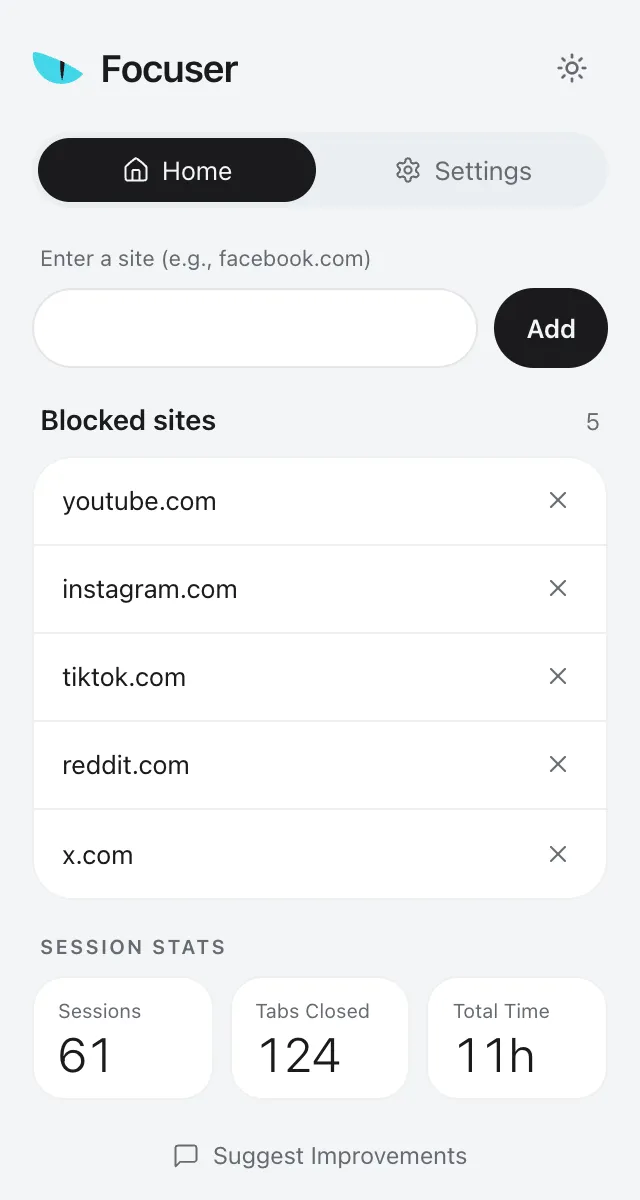
Setup is short. You add the current tab from the popup with one click or type any domain, and a domain covers its subdomains. There is nothing to sign in to.
The approach is also different. Some BlockSite reviews say the block is easy to get around in Incognito or in another browser. Focuser has the same limits, since it only runs in Chrome and needs your permission to work in Incognito. It simply does not rely on a wall. It asks a question, takes a reason and a time limit, and shows a timer. When the time is up, it asks again.

Privacy
This is the clearest difference between the two. BlockSite's privacy policy, last changed on July 16, 2026, says it collects browsing, search and activity data and may share it with affiliates for market intelligence. It says this may count as a sale of data under some US state laws. You can opt out in its settings.
Focuser makes no network requests at all. Your sites, schedules and reasons are saved in Chrome storage and sync only through your own Chrome profile. Your stats stay on your device, and nothing is sent to us.
If privacy matters most to you, read BlockSite's policy in full before you decide.
Common questions
Is Focuser a good BlockSite alternative?
Yes, if you use desktop Chrome and want a gentler blocker that is free and keeps your data with you. If you need phone apps, other browsers or a password lock, BlockSite is the better fit.
Does Focuser have a password lock?
No. Focuser never locks you out. You can always continue by giving a reason and a time limit.
Can I use Focuser on my phone?
No. Focuser is a desktop Chrome extension. BlockSite has apps for Android and iOS.
Does Focuser have schedules like BlockSite?
Yes. You can create schedules with sites, days and hours, including schedules that run overnight.
Does Focuser work in Incognito?
Yes, after you allow it. Find Focuser in chrome://extensions and turn on Allow in Incognito.
Read next
Give your next visit a reason
Add Focuser to Chrome and start with two or three sites. It is free, it needs no account, and you can remove it from the toolbar at any time.
Add Focuser to Chrome