











Catch the reflex the moment a site opens
When a site from your list loads, Focuser covers it with one question: do you really need this site? Video and sound pause while you decide. Press Esc to close the tab or Enter to continue.

Focuser is a free Chrome extension that pauses the sites you lose time on. Say why you're there and how long you need, and your purpose stays on screen until the time is up.
Most visits to a feed are not decisions. You open a new tab, type the first letter, and the browser fills in the rest. Focuser steps in at that moment. Once the page loads, it covers the site, pauses any video, and asks if you really need it. Close the tab, or continue and say why you came.
When a site from your list loads, Focuser covers it with one question: do you really need this site? Video and sound pause while you decide. Press Esc to close the tab or Enter to continue.
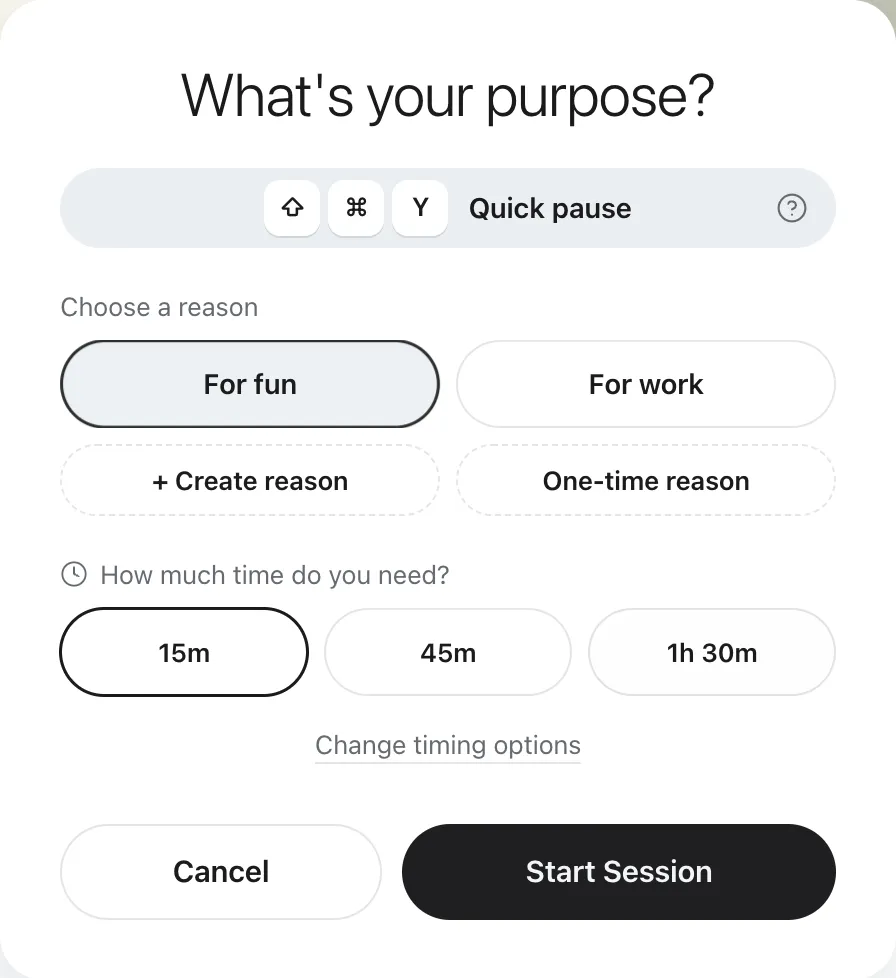
Continue, and Focuser asks what the visit is for and how long you need. Pick a saved reason or type one just for this visit. Choose 15 minutes, 45 minutes, 1 hour 30 minutes, or your own times.
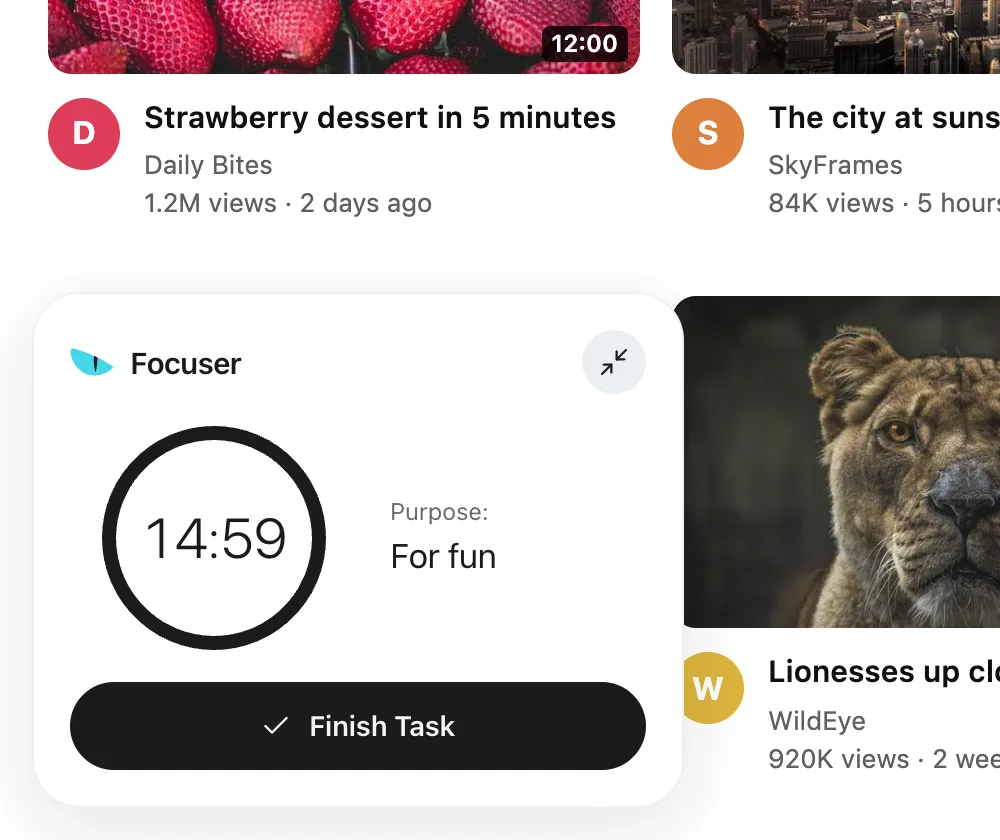
A small timer in the corner shows your reason and the time left. Done early? Finish the task and the visit ends. When the time runs out, the prompt covers the page again.
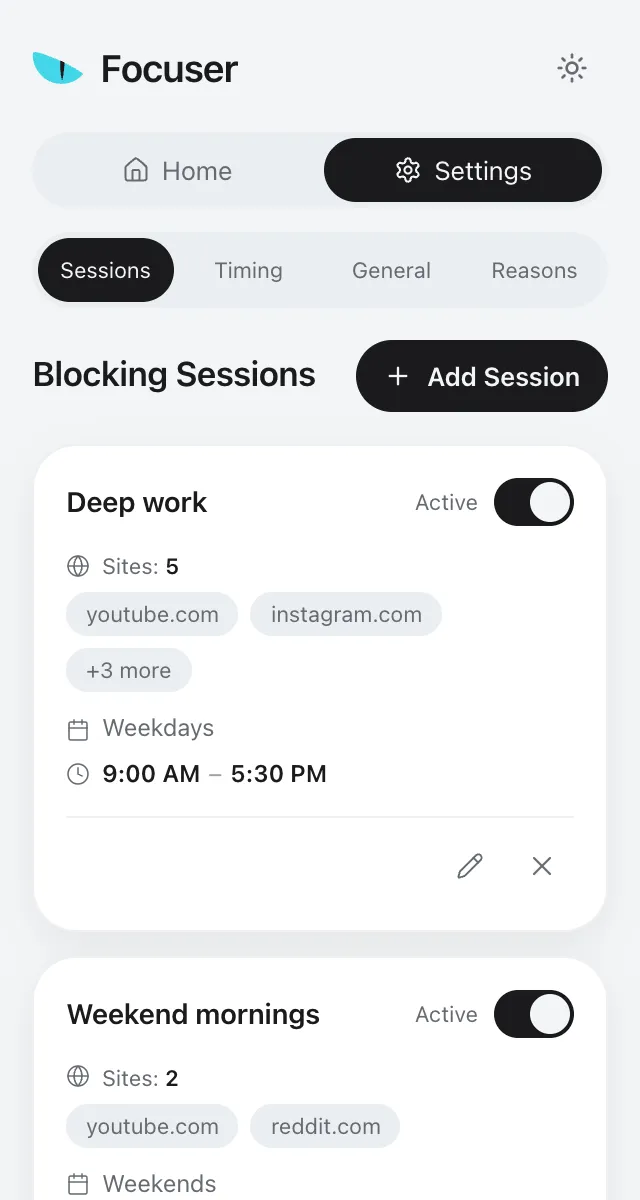
Create schedules for the hours you want to protect, such as weekdays from 09:00 to 17:00. While a schedule is active, its sites ask before they open, and the prompt shows which schedule paused them.
Need to check one thing on a listed site? Press Ctrl+Shift+Y, or Command+Shift+Y on a Mac, to get 1, 3 or 5 minutes, whichever you set. A 15 minute cooldown follows, so a quick check stays quick.
macOS
Windows / Linux
Open the Focuser popup and add the current tab with one click, or type any domain. Adding youtube.com also covers its subdomains, such as m.youtube.com.
Each time a listed site loads, Focuser asks if you really need it. Close the tab, or give a reason and a time limit.
Your reason and the time left stay on screen. When the time is up, the prompt returns over the page and you decide again.
Surprised how simple and effective it is. Now I waste way less time on distractions. Great tool.
The extension makes no network requests at all. Nothing is sent to Focuser servers, and there is no tracking.
Sites, schedules and reasons are saved in Chrome storage. If Chrome sync is on, they sync through your own Chrome profile. Stats stay on your device.
Chrome says Focuser can read and change data on all sites. It needs that so the prompt can appear on any site you add.
Yes. Focuser is free, with no paid plan and no account to create.
Once the page loads, Focuser covers it and pauses any video or sound. It asks if you really need the site. Close the tab, or continue, pick a reason and choose how long you need. A timer then shows your purpose and the time left.
No. There is no hard lock. You can always continue by giving a reason and a time limit. Focuser makes each visit a choice. It does not stop you.
Use the quick pause. On a listed site, press Ctrl+Shift+Y, or Command+Shift+Y on a Mac, to get 1, 3 or 5 minutes. A 15 minute cooldown starts when you press the keys. You can change the keys in Chrome's extension shortcut settings.
Yes. Create a schedule and pick sites from your list, the days, and a start and end time. The default is Monday to Friday, 09:00 to 17:00, and a schedule can run overnight. Listed sites that are not in any schedule ask on every visit by default. To let them open without a prompt, switch the blocking mode from Always block to Sessions only.
Nothing reaches us. The extension makes no network requests. Your sites, schedules, reasons and options are saved in Chrome storage and sync through your own Chrome profile if Chrome sync is on. Stats stay on your device.
Focuser is made for Chrome on desktop computers and installs from the Chrome Web Store. We only support desktop Chrome.
Yes, once you allow it. Find Focuser in chrome://extensions and turn on Allow in Incognito.
Nine: English, German, Spanish, French, Italian, Japanese, Portuguese (Brazil), Portuguese (Portugal) and Vietnamese. Focuser uses Chrome's language when you install it, and you can change it at any time in Settings.
Right click the Focuser icon in the Chrome toolbar and choose Remove from Chrome.
Add Focuser to Chrome and start with two or three sites. It is free, it needs no account, and you can remove it from the toolbar at any time.
Add Focuser to Chrome