Focuser vs One Sec: two kinds of pause
One Sec and Focuser share an idea. Both put a pause between you and a distracting site instead of a wall. They differ in what happens during that pause and after it. Here is a fair comparison, including where One Sec is the better choice.
The short answer
Choose One Sec if you want the same pause on your phone and your computer, more kinds of interventions, or a tool with published research behind it.
Choose Focuser if you mostly lose time in desktop Chrome, want to say why you are visiting and see a countdown, and want every feature for free. Focuser also has schedules, so it can ask only during the hours you choose.
Side by side
The table uses each product's own pages and its Chrome Web Store listing. Prices and ratings change, so check the sources below before you decide.
Two points stand out. One Sec's free plan covers one app or site, so if you want a pause on more than one site, you will need Pro. And Focuser's 5.0 rating comes from only a few ratings. One Sec's 4.9 comes from many more, so it says more about how people find it.
| Feature | Focuser | One Sec |
|---|---|---|
| Price | Free, no paid plan | Pro price varies by region. Its web store showed $19.99 per year with a one week free trial. |
| Free plan | Everything is free | Covers one app or site |
| Platforms | Desktop Chrome | iPhone, iPad, Mac and Android, plus extensions for Chrome, Firefox, Safari, Edge and Arc |
| How it stops you | Asks why you are there and how long you need, then shows a countdown. Asks again when the time is up. | A breathing exercise or another intervention before the site opens, then lets you in |
| Account | None | Not stated in the sources we checked |
| Privacy | No network requests. Nothing is sent to Focuser servers. | Its Chrome Web Store listing says it does not collect or use your data. Usage data stays on the device. |
| Chrome Web Store rating | 5.0 from a small number of ratings | 4.9 from 1.2K ratings |
Checked November 2026
Where One Sec is better
One Sec runs on far more devices. It has apps for iPhone, iPad, Mac and Android, and browser extensions for Chrome, Firefox, Safari, Edge and Arc. Focuser only runs in desktop Chrome. If you split your time between a phone and a laptop, that alone may decide it.
It also offers more kinds of interventions. Its Pro plan adds unlimited sites, intention and emotion tracking, statistics and block sessions. And it has a larger user base, with 30,000 users in the Chrome Web Store and a 4.8 rating from 24K ratings on iOS.
One Sec also has research behind it. A 2023 study in PNAS looked at how the app changed the way people used their phones. One Sec's founder is one of the authors.
Before the visit: a breath or a reason
One Sec slows you down before the site opens, with a breathing exercise or one of its other interventions, and then lets you in.
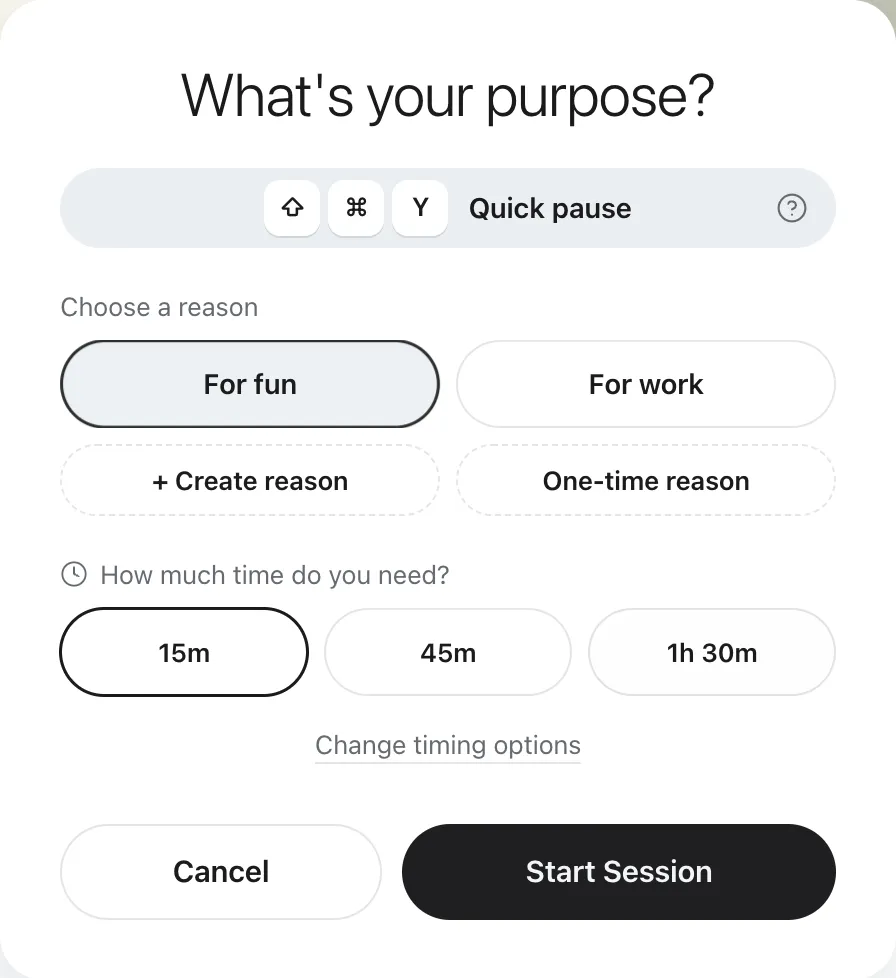
Focuser asks two things instead: why you are there, and how long you need. You pick a saved reason, create your own, or type a one time reason that is not saved. Then you choose 15 minutes, 45 minutes, 1 hour 30 minutes, or your own time between 1 minute and 24 hours. The answer takes a few seconds, and it gives the visit a clear purpose.
One Sec Pro can also track intentions, so the gap is smaller if you pay for Pro.
During and after the visit
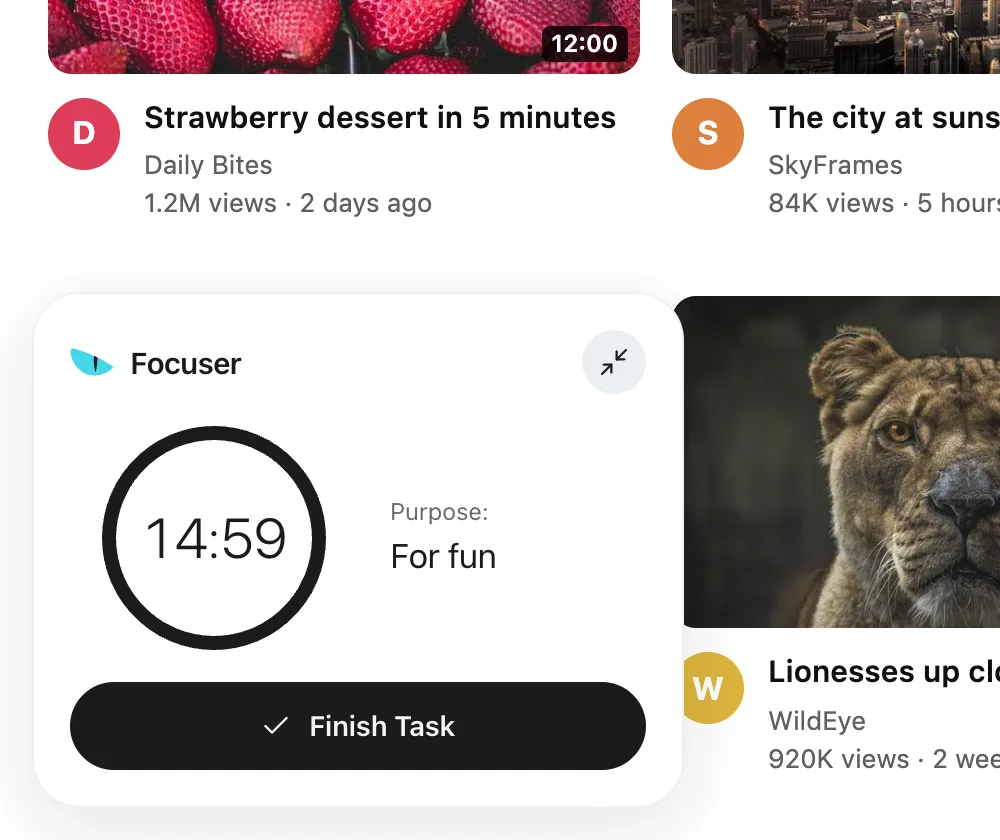
This is where the two differ most. With One Sec, the pause happens before you go in. With Focuser, a timer stays on screen for the whole visit and shows your purpose and the time left.
All tabs of that site share one timer, so a second tab does not start over. If you finish early, end the visit from the timer. For a very quick check, the quick pause gives you 1, 3 or 5 minutes with Ctrl+Shift+Y, or Command+Shift+Y on a Mac, followed by a 15 minute cooldown.
When the time is up, Focuser covers the page again with the same prompt and pauses any video. You can close the tab or start a new visit with a new reason. The visit has a start you chose and an end you can see.
Common questions
Is Focuser a good One Sec alternative on Chrome?
Yes, if you mainly browse in desktop Chrome and want a reason, a time limit and a countdown for every visit, for free. If you need your phone or other browsers covered, One Sec is the better fit.
Does Focuser have a breathing exercise?
No. Focuser asks why you are there and how long you need instead.
Is Focuser private?
Yes. The extension makes no network requests. Settings stay in Chrome storage, and stats stay on your device.
Can I use One Sec and Focuser together?
You could use One Sec on your phone and Focuser in desktop Chrome, since Focuser does not run on phones.
Does Focuser work in Safari or Firefox?
No. Focuser is made for desktop Chrome. One Sec has extensions for Chrome, Firefox, Safari, Edge and Arc.
Sources
Give your next visit a reason
Add Focuser to Chrome and start with two or three sites. It is free, it needs no account, and you can remove it from the toolbar at any time.
Add Focuser to Chrome